Minutes to Hours Converter
Enter a number of minutes to see it as hours, as hours and minutes and as decimal hours, or switch to convert hours into minutes.
Recent
Your last 10 settings, saved only in this browser. Nothing is uploaded.
How to use the Minutes to Hours Converter
- Open the Convert select. Keep “Minutes to hours” (the default), or choose hours to minutes.
- Type your number in the input. Commas and decimals are allowed, so 2,880 and 90.5 both work. Values up to 10,000,000 are accepted, and negative numbers show an error.
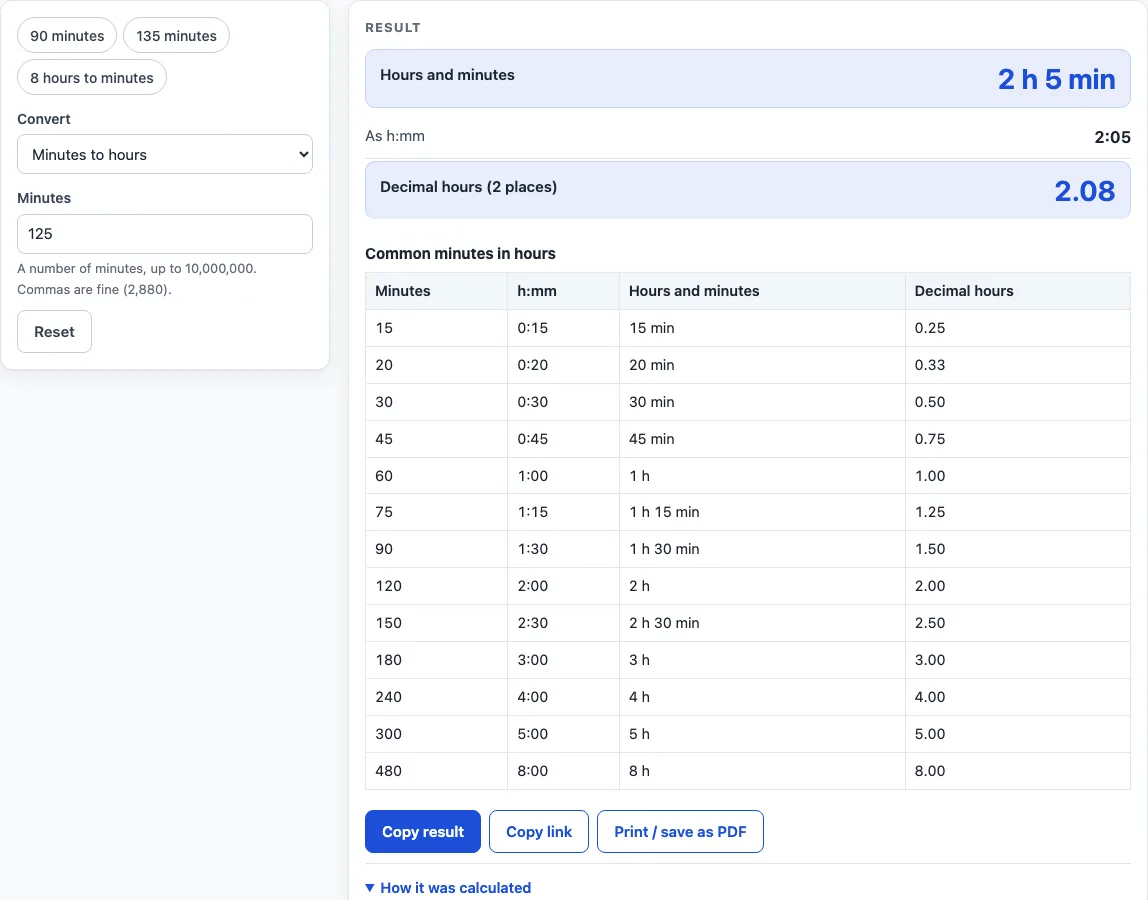
- Read the result. Minutes to hours gives hours and minutes (2 h 5 min), h:mm (2:05), and decimal hours (2.08). From 1,440 minutes up, days are shown too.
- For hours to minutes, enter decimal hours (2.5), h:mm (1:45) or 1h 30m. A bare number is read as hours, not minutes.
- Open How it was calculated under the result to see each step with your own values.
- Click a preset above the form to load a typical case: 90 minutes, 135 minutes or 8 hours to minutes. Click Reset to go back to the starting example.
Use Copy result to copy the result lines with a link. Use Copy link to copy the page address, which stores your inputs in the ?s= part of the URL, so the same calculation reopens later or can be sent to someone else. Print / save as PDF prints a one-page record with the inputs, results, calculation steps and date.
The quick-reference table under the result is always visible, so common values such as 45 or 90 minutes can be read without typing anything.
How do you convert minutes to hours?
Divide the minutes by 60. The whole number is the hours, and the remainder is the minutes. For 125 minutes, 125 ÷ 60 is 2 with 5 left over, so the answer is 2 h 5 min, or 2:05 in h:mm form. Seconds follow the same rule in reverse: seconds = minutes × 60, because 1 hour is 60 minutes or 3,600 seconds.
What do decimal hours mean?
Decimal hours show the same time as a fraction of an hour, using hours = minutes ÷ 60 without splitting off a remainder. 125 minutes is 2.08 decimal hours, rounded half up to 2 places. Decimal hours are easier to add up and multiply by a rate, which is why they are common in timesheets. Rounding means the figure is close to the exact value rather than equal to it. For example, 20 minutes is exactly one third of an hour, which the calculator shows as 0.33 h.
Why do some results show days or seconds?
From 1,440 minutes up, which is one full day, the result also shows days. 2,880 minutes is 2 d 0 h 0 min, and 5,000 minutes is 3 d 11 h 20 min. If your minutes include a fraction, the h:mm figure is rounded to the nearest minute and a warning tells you so. For 90.5 minutes the result is 1 h 30 min 30 s, because half a minute is 30 seconds.
How do you convert hours to minutes?
Multiply the hours by 60. Enter decimal hours such as 2.5, h:mm such as 1:45, or a form such as 1h 30m. Because a bare number is read as hours here, typing 2 gives 120 minutes, not 2 minutes. Some results: 0.1 hours is 6 minutes, and 8 hours is 480 minutes, which is 28,800 seconds.
What is the largest value the calculator accepts?
The largest accepted value is 10,000,000 minutes, which equals 166,666 h 40 min. A value above that limit shows an error, and so does a negative number. Check the number you typed if you see an error, because a stray letter or an extra digit is a common cause.
Worked examples
| Input | Result |
|---|---|
| 125 minutes | 2 h 5 min (2.08 h) |
| 90 minutes | 1 h 30 min (1.50 h) |
| 135 minutes | 2 h 15 min (2.25 h) |
| 2,880 minutes | 48 h (48.00 h) |
| 8 hours | 480 min |
Calculated by the tool above; open it with the same values to see each step.
Frequently asked questions
Does the result update as I type?
Yes. The result changes with each keystroke, so you can see how the answer moves as you adjust the number.
Is there a quick reference table?
Yes. A table is always shown for 15, 20, 30, 45, 60, 75, 90, 120, 150, 180, 240, 300 and 480 minutes, with h:mm, hours and minutes, and decimal hours. For example, 75 minutes is 1 h 15 min, or 1.25 h.
What do the preset buttons load?
The presets load 90 minutes (1 h 30 min, or 1.50 hours), 135 minutes (2 h 15 min, or 2.25 hours), and 8 hours to minutes. They are a quick way to see a typical case.
What does Reset do?
Reset restores the starting example, so you can begin again without retyping anything.
Can I convert 12-hour clock times with this tool?
No. This calculator works with durations in minutes and hours, not clock times. For clock notation, use the Military Time Converter listed below.
Is the minutes to hours converter free, and is anything I type uploaded?
Yes, it is free and needs no account or sign-up. Everything is calculated in your browser, and nothing you type is uploaded.
Can I print or share a calculation?
Yes. Print / save as PDF creates a one-page record with the inputs, results, calculation steps and the date. Copy link copies a page address that stores every input, so the same calculation can be reopened later or sent to someone else.
Related tools
- Hours Calculator: add and subtract hours and minutes, one entry per line.
- Time Duration Calculator: the time between two times or two dates.
- Decimal Hours Calculator: convert hours and minutes to decimal hours and back.
- Hours to Days Converter: convert hours to days and days to hours.
- Military Time Converter: convert between 12-hour and 24-hour time.
- Work Hours in a Month Calculator: working days and work hours for any month or year.
- Time Card Calculator: total a week of clock-in and clock-out times, with breaks, rounding, overtime and pay.